
How do you start riding a fish?
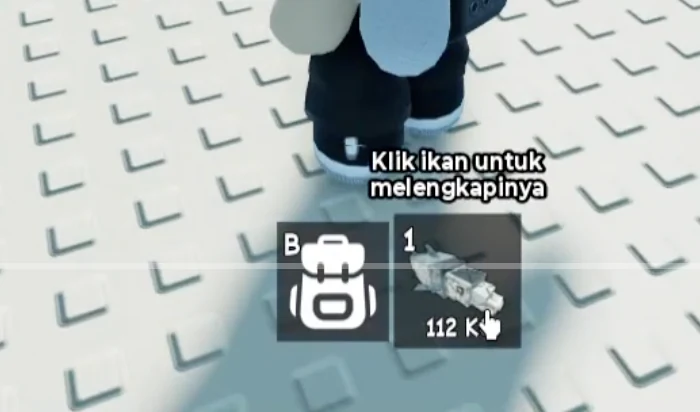
For a fish in your bottom hotbar that is not yet equipped, click its card to equip it. If the slot is already selected and the avatar holds the fish, continue to the sea without another selection click. The recorded PC tutorial says to equip the fish and take it to the sea. Check that the avatar is seated on the fish and that the red Dismount control appears before starting the underwater egg hunt.
For a fish still in your aquarium, return to your own aquarium and locate its fish panel. Use Unequip to move the intended fish into inventory, open the backpack beside the hotbar, and select its card. If inventory selection already leaves the avatar holding that fish, proceed to the sea; otherwise click its hotbar card to equip it first. The choosing-a-fish guide shows each of these states in more detail.
The tutorial’s first equipped fish exists before the later egg hatch. This does not establish a guaranteed starter species or an automatic hotbar transfer for newly hatched fish. A new hatch is shown entering the aquarium; confirm where your fish actually is before selecting it.
How do you hatch your first fish?
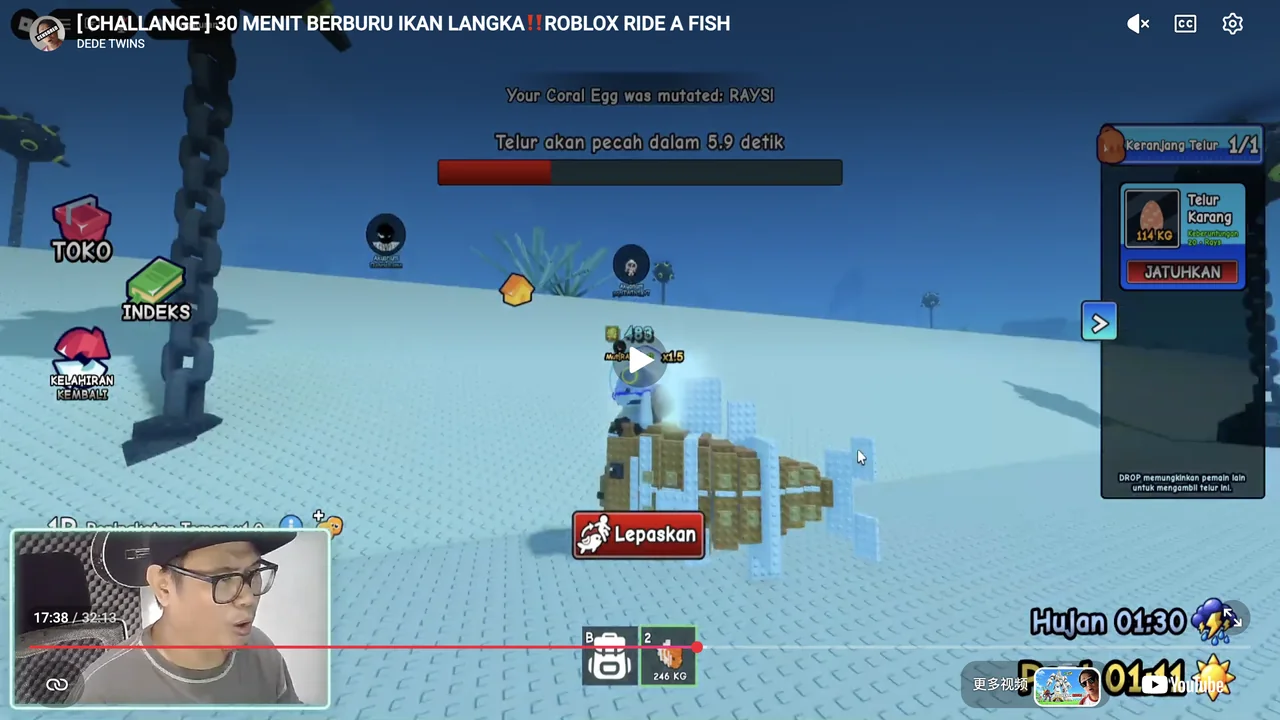
Find an egg underwater, collect it, take it back to your own aquarium, and place it in an Egg Box. Wait until the egg is ready, then use the Hatch interaction. The result enters the aquarium. Those stages are visible in a matched Ride A Fish gameplay recording, rather than inferred from promotional artwork.
This guide covers Ride A Fish by i hope u like, Place ID 104050046639813. The recorded interface uses Indonesian labels and PC-style E interaction prompts. English names below translate the visible actions; touch controls and future interface changes should be checked in your current session.
From underwater egg to aquarium fish
Recognize your aquarium before hunting
Identify your own aquarium near the SafeZone and the Egg Box area inside it. The first-hatch tutorial directs the player back there. Learn the return landmark before going farther.
Find and approach an egg
Look underwater for an egg. In the recorded PC interface, approaching one exposes E and Ambil Telur, meaning Take Egg. Use the prompt for the egg you actually intend to collect.
Collect and confirm possession
Activate Take Egg. Confirm the carried object and basket display instead of assuming that standing near the egg collected it. The recording changes from an empty basket to an occupied basket with an egg label.
Return before the egg breaks
Read the current Egg Will Break warning and follow the tutorial’s instruction to return to SafeZone quickly. Stop searching for another target while this deadline is active.
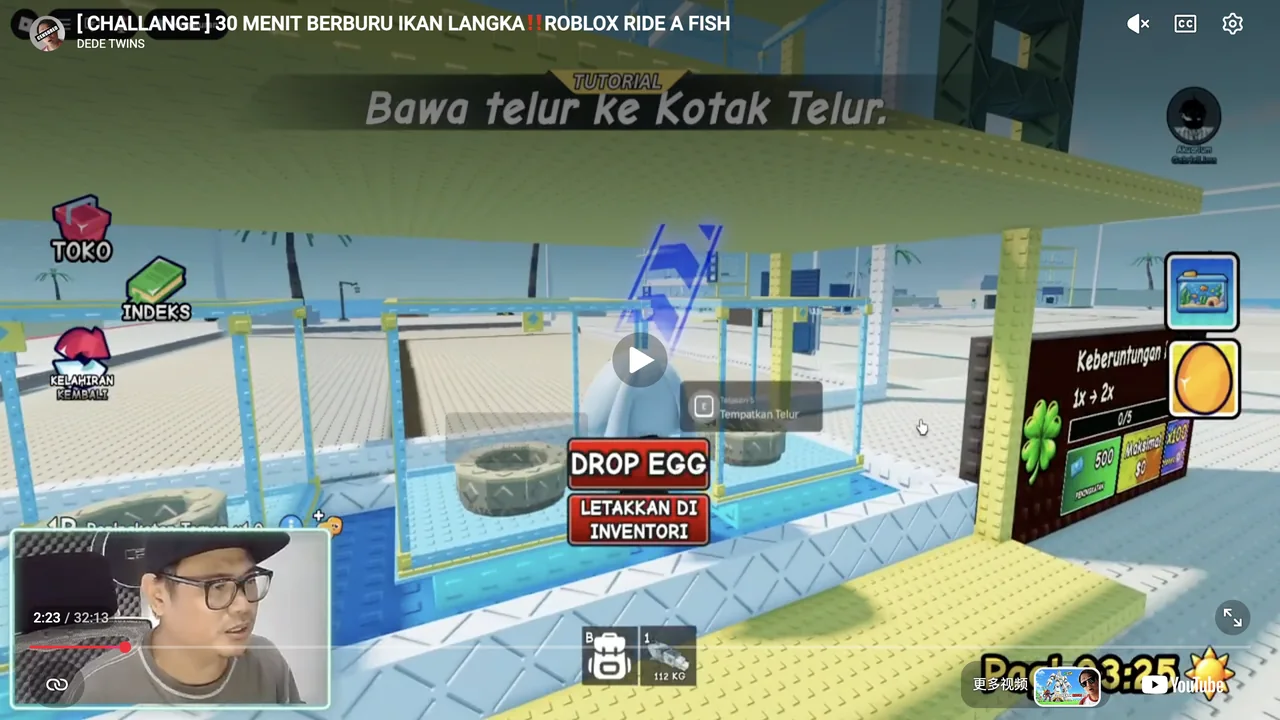
Place the egg in an Egg Box
Approach an available nest/box in your aquarium. The recorded prompt is E with Tempatkan Telur, meaning Place Egg. Activate this prompt rather than DROP EGG.
Wait for the ready state
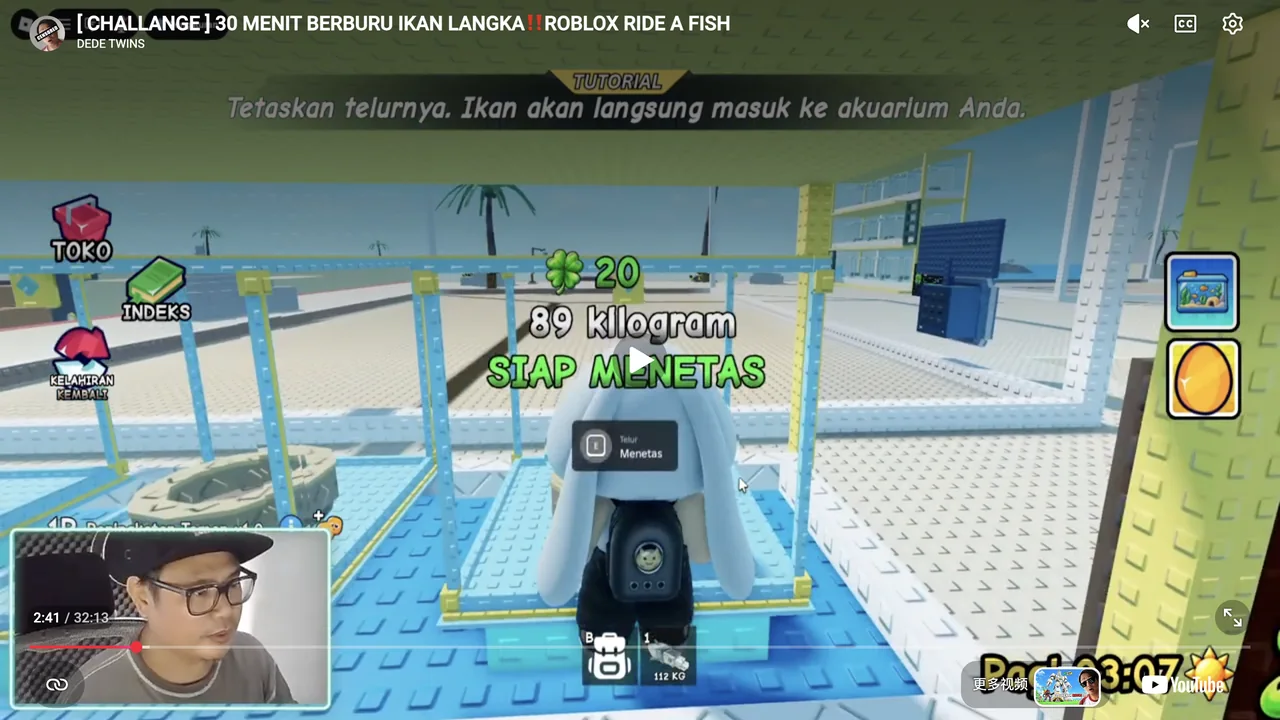
The placed egg shows its own growth countdown. Wait for SIAP MENETAS, meaning Ready to Hatch. A separate Skip Growth prompt is visible during growth; it is not the final Hatch action.
Activate Hatch and confirm the result
The recorded PC prompt is E with Menetas, meaning Hatch. Activate it and inspect the fish result card. The tutorial states that the fish goes directly into your aquarium.
Choose a ride and test a familiar circuit
Return to your own aquarium, use Unequip on the intended fish, open the backpack beside the hotbar, and select its card. If the fish is not yet selected and held, click its hotbar card to equip it. If it is already selected and held, proceed to the sea without clicking it again, following the recorded tutorial. Confirm the seated avatar and Dismount control before testing a familiar circuit.
What should you see after hatching?
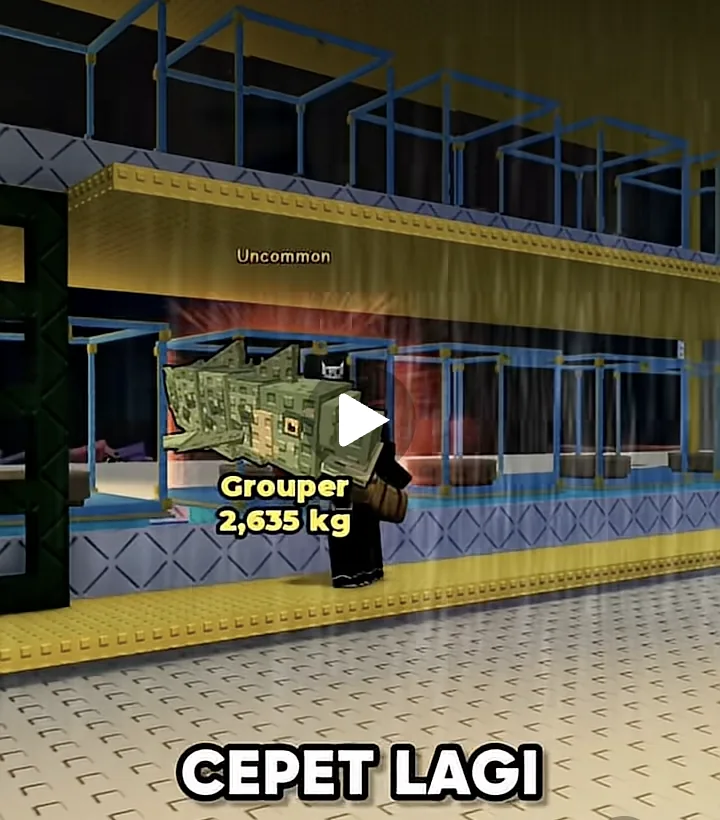
The first reviewed sequence displays a Mackerel result labeled Common. Another matched developer recording displays a Tidal Egg followed by an Uncommon Grouper result. These are observed outcomes, not guaranteed first hatches or complete egg drop tables.
Individual result cards display weights. A weight on one card is not a species-wide weight, travel speed, or rarity probability. Confirm your own fish name and state before comparing it with another result.
The tutorial also says aquarium fish produce coins over time. No general income rate or permanent upgrade price is established here. The first-session goal is to finish a usable egg-to-fish loop before deciding which additional system to pursue.
Avoid the first-hatch mistakes
Use Place Egg at an available Egg Box. DROP EGG is a separate action; the recorded interface warns that dropping lets other players take the egg. Do not press it when your intention is to start hatching.
Keep the two timers separate. The transport warning belongs to the carried egg, while the growth countdown belongs to an egg already placed for hatching. A remaining value in either recording is not the universal duration for every egg.
Confirm the result instead of relying on a glow or a click alone. A changed prompt, visible egg in the nest, ready label, and fish result are separate confirmations. If an interaction fails, read the current message before guessing that you need a purchase or an upgrade.
First hatch questions
How do I equip a fish to start riding?
The recorded PC tutorial says to equip the bottom hotbar fish, then take it to the sea. Click its card if it is not already selected and held; otherwise proceed without another click. Confirm the mounted avatar and Dismount control. If the fish is still in your aquarium, first use Unequip and backpack inventory selection.
Why does Place Egg not hatch the fish immediately?
Placing begins the growth stage in the reviewed sequence. Wait for the ready label, then use the separate Hatch interaction.
Do I press E on mobile?
E is the PC-style prompt visible in the recording. A touch-control mapping has not been verified; use the interaction currently shown on your device.
Does every first egg give a Mackerel?
No such guarantee is established. The Mackerel is one observed result in the gameplay recording, not a universal first-egg reward.
Is Skip Growth the same as Hatch?
No. Skip Growth appears during the growth stage; Hatch appears when the egg is ready. No current skip price or purchase requirement is established by this guide.
Sources and their limits
- DEDE TWINS — first-riding tutorial and hotbar controls
Actual PC playback at 1:27 shows the tutorial instructing the player to click the fish to equip it. At 1:28–1:30 it says to take the fish to the sea and collect eggs; 1:44 shows the mounted state and Dismount. This fish is already present before the later Coral Egg hatch, so it is not evidence that every new hatch enters the hotbar automatically. The opening carousel matches two exact official target-game images. The hidden mount trigger, number-key mapping and touch controls are not established.
Accessed - DEDE TWINS — Ride A Fish gameplay and first-hatch tutorial
The opening Roblox page shows two exact official target-game promotional images. Actual playback frames at 2:06–2:47 establish PC-style E pickup/place/hatch prompts, basket possession, return-to-SafeZone tutorial, an Egg Box growth/ready sequence, and one Mackerel result. Indonesian labels are translated for the guide. No universal hatch duration, weight, drop odds, or mobile-control mapping is inferred.
Accessed - DEDE TWINS — aquarium, inventory and fish selection
Actual PC playback at 6:15–6:16 shows the right-hand aquarium panel appearing near the player’s own yellow aquarium. At 6:19 and 7:05–7:23 it shows the Unequip tooltip, a Pipefish transfer notification, aquarium occupancy decreasing, the inventory card, selection into the hotbar, and the resulting mounted Pipefish. Indonesian labels are translated. The opening carousel matches two exact official target-game images. A manual panel-opening button, automatic proximity/mount trigger, universal speed, weight, income and touch controls are not established.
Accessed - Ride A Fish — official Roblox experience
The description supports underwater egg hunting, hatching rarer and faster fish, riding, and rain-associated mutations that can make fish faster. It does not establish exact collection controls, hatch timers, named drops, speeds, or mutation probabilities.
Accessed - Bang Kai — Ride A Fish development, Day 4
Actual playback at about 0:11–0:14 shows a Tidal Egg at the aquarium followed by one Uncommon Grouper result. Opening footage and native captions describe riding fish and finding eggs, and a DISMOUNT control is visible. Day 2 shows the matching target-game creator, official art and description. This establishes observed results and game match, not universal weights, drop guarantees, precise hatch inputs or a reciprocal publisher-identity link.
Accessed - Bang Kai — Ride A Fish development, Day 2 (game identification)
At about 0:40–0:44 the game page shows Ride A Fish, creator i hope u like, the matching official Mythos Egg artwork, and the same core-loop description. This supports the series’ target-game match, not a direct verified publisher identity link.
Accessed